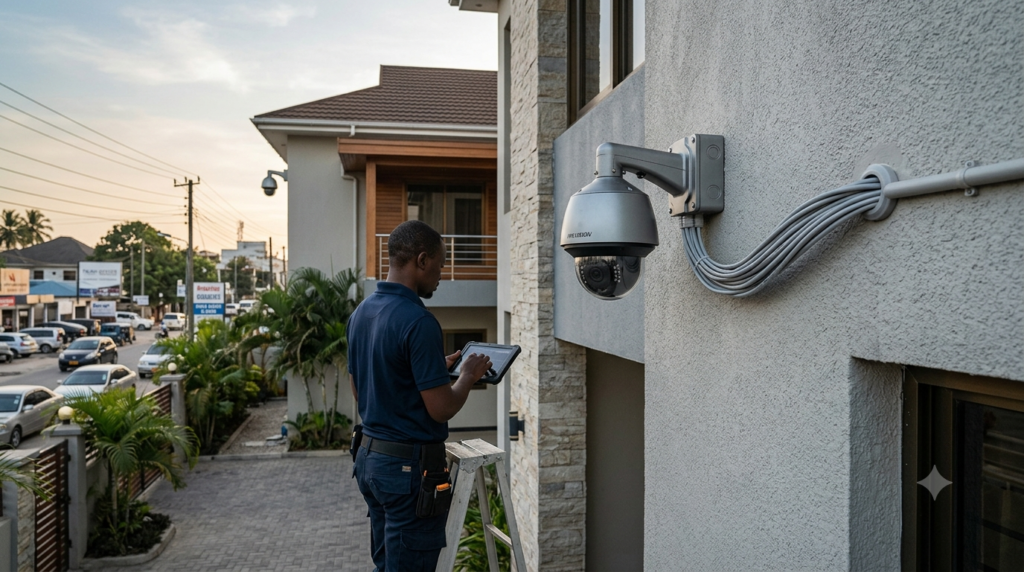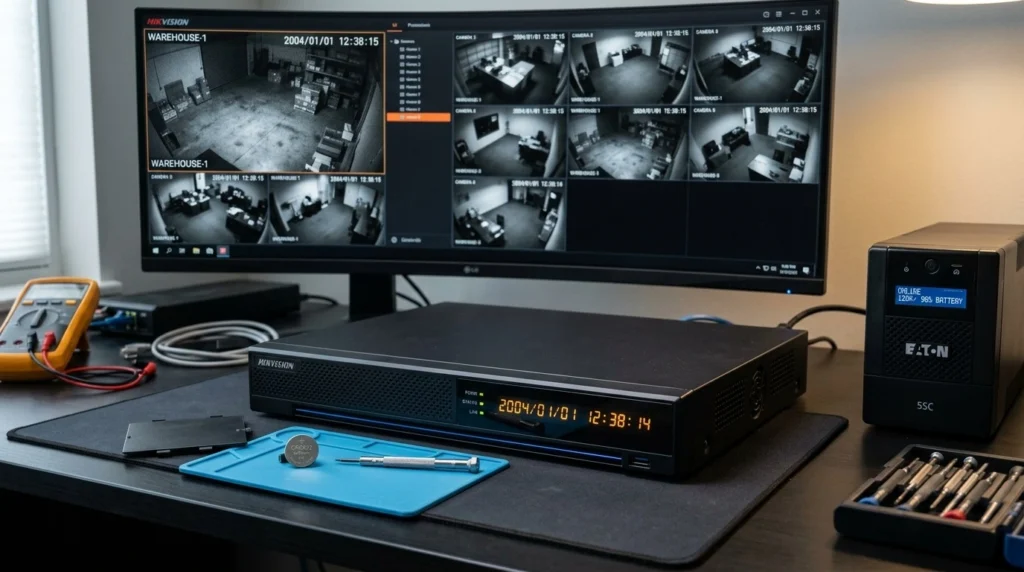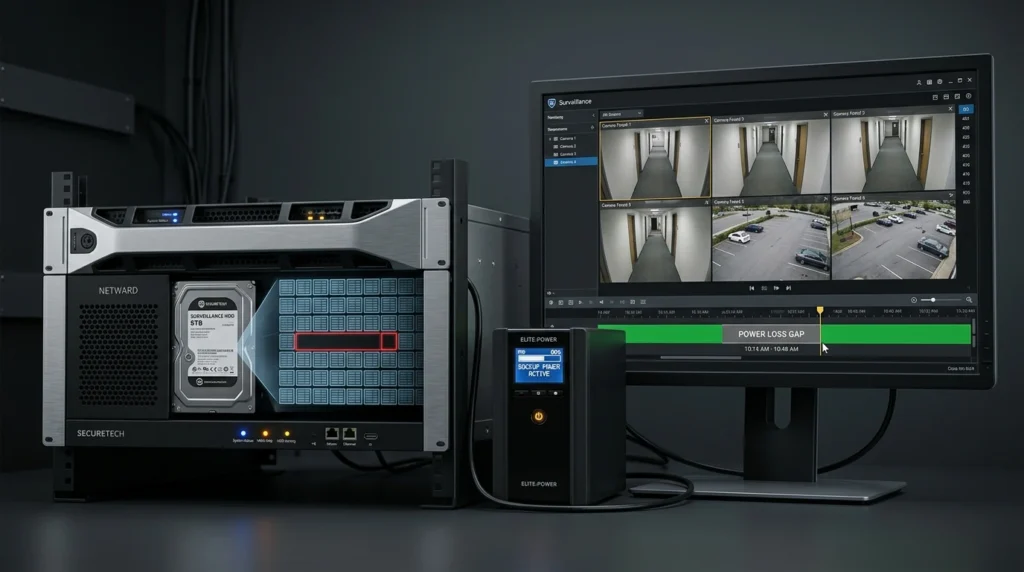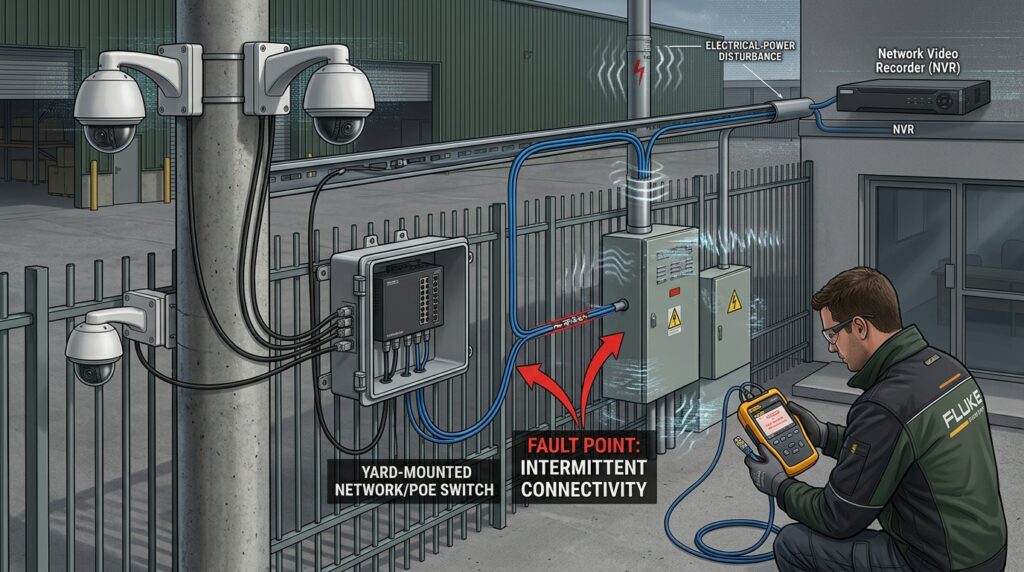
An IP camera can stop working after a power outage, electrical-system change, or power restoration without the camera itself being permanently damaged. The fault may be in the power supply, PoE switch, Ethernet cable, IP addressing, NVR connection, or camera hardware.
For a property owner, the important question is not simply “Is my camera dead?” It is “Where did the connection fail?”
A useful way to diagnose the problem is to work through the system in this order:
Power → PoE → Ethernet cable → IP address → NVR/network → camera hardware.
This approach can prevent you from replacing working cameras when the actual problem is a cable, switch, or network connection.
Why do IP cameras stop working after a power outage?
A power disturbance can affect the switch, PoE supply, cameras, or other network equipment differently, so some equipment may recover while another component does not. Cisco’s PoE troubleshooting guidance explains that AC power disturbances can disrupt or degrade PoE even when the Ethernet functions of a switch still appear normal, while NIST’s power-quality guidance distinguishes outages, sags, swells, and short-duration surges.
This matters because “the electricity came back” does not necessarily mean the surveillance system returned to its previous operating state.
An IP camera system normally depends on several connected components. A camera may receive power from a PoE switch, send data through an Ethernet cable, communicate through a network switch, and ultimately deliver its video stream to an NVR.
If any shared connection in that chain is disrupted, the camera can appear offline even though the camera itself is still powered.
A field example: Prime Machinery Limited, Vingunguti
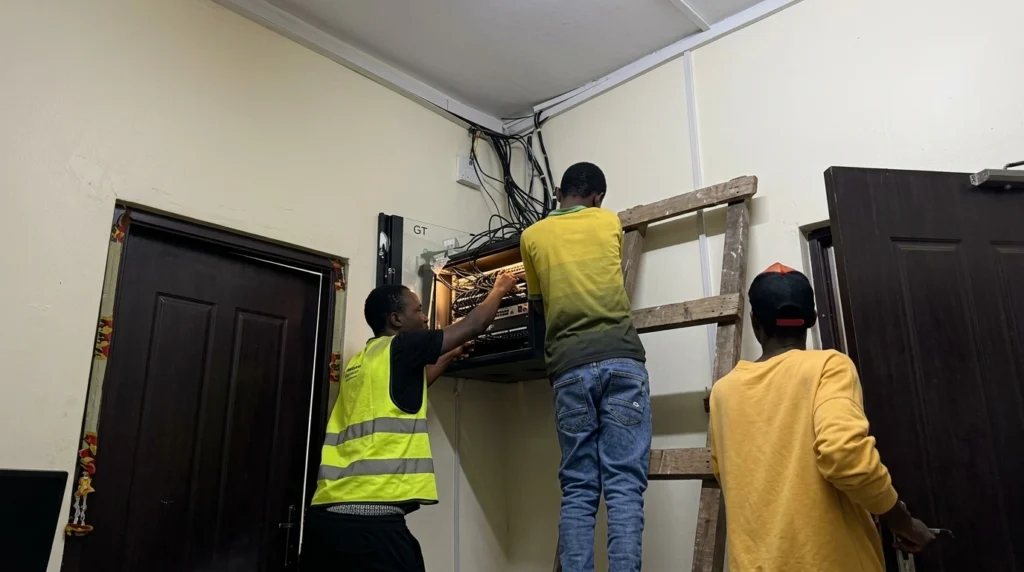
MattyTech Global Inc encountered this type of problem at Prime Machinery Limited in Vingunguti, Dar es Salaam, while the client was renovating its electrical system.
Thirteen IP cameras installed around the client’s yard were showing “No Signal” at the NVR located in the office.
The first step was to check whether all 13 cameras were still connected to the switch located in the yard. They were connected, so the team continued tracing the communication path instead of immediately replacing the cameras.
The next test focused on the cable connecting the yard switch to the NVR in the office. The cable was found to be losing signal, so MattyTech replaced it and installed a new RJ45 connector.
After the cable replacement, the signal transferred correctly. The cameras then needed to be added to the NVR again.
The team also found that the existing small white switch was transferring the camera traffic too slowly. MattyTech replaced it with a Hikvision managed Gigabit 8-channel switch, after which the network traffic flowed more reliably and the cameras operated effectively without repeatedly disappearing.
This case is important because the cameras themselves were not simply assumed to be faulty. The troubleshooting process identified problems in the network path and switching equipment.
Can a power surge damage an IP camera or PoE switch?
Yes, abnormal electrical conditions can disrupt or damage electronic equipment, but a camera going offline after a power event does not prove that the camera has been permanently damaged. NIST explains that power surges are short-duration overvoltage events and identifies lightning and switching operations among their causes.
A useful distinction is:
- Power outage: electrical supply is interrupted.
- Voltage sag: voltage temporarily falls below its normal level.
- Voltage swell: voltage temporarily rises above normal.
- Surge/transient: a short-duration abnormal voltage event.
These conditions can affect equipment differently.
That is why a PoE switch should not be judged only by whether its power light is on.
For systems exposed to unreliable electrical conditions, appropriate surge protection and power-quality protection should be considered. NIST’s consumer guidance on surge protection discusses protection of electronic equipment against surge-related problems.
How can I tell whether the problem is power, PoE, network, or the camera?
Start by looking at how many cameras failed and where they are connected. One failed camera suggests a different investigation from thirteen cameras connected through the same switch.
Cisco’s PoE troubleshooting guidance similarly separates problems affecting one port from problems affecting a group of ports or all ports, and recommends checking the powered device, cable, switch port, and available PoE power systematically.
| What you see | Check first | Why |
|---|---|---|
| One camera is offline | Camera, Ethernet cable and PoE port | The problem may be local to that camera |
| Several cameras on one switch are offline | PoE switch, power supply and uplink | The cameras share infrastructure |
| All cameras are offline | Main switch, NVR, network and power | A common component may have failed |
| Camera has power but shows offline | Ethernet and network configuration | Power does not guarantee data connectivity |
| Camera has a 169.254.x.x address | DHCP/network | The camera may not have obtained a normal IP address |
| Cameras disappear repeatedly | Cable, switch, power quality or configuration | A recurring fault needs root-cause testing |
What if only one IP camera stops working?
If only one camera stops working, first check its PoE port, Ethernet cable, RJ45 connectors, and camera connection before replacing the camera. Cisco recommends testing whether the powered device works on another known-good port and checking whether the cable and switch port are functioning correctly.
A faulty cable or connector can create an intermittent connection that looks like a camera fault.
If the camera works when connected through a different known-good path, the original cable or switch port becomes a stronger suspect.
What if several cameras connected to the same PoE switch stop working?
When several cameras connected to the same switch fail together, investigate the equipment they have in common.
The PoE switch may have a power problem, a network-uplink problem, a port-group problem, or insufficient available PoE capacity. Cisco’s troubleshooting guidance specifically recommends separating one-port failures from failures affecting groups or all ports and checking the switch’s power status and power budget.
This is why replacing three or four cameras immediately can be the wrong first step.
What if all IP cameras stop working?
If every camera disappears simultaneously, start with shared infrastructure rather than individual cameras.
Check the NVR, main PoE switch, network switch, router where applicable, power supply, and connections between these devices. If a common component has failed, changing individual cameras will not solve the problem.
[INTERNAL LINK: CCTV camera installation → CCTV Camera Installation in Dar es Salaam]
Why does an IP camera have power but still show offline?
A powered IP camera can still be offline because electrical power and network communication are two different things. The camera may boot normally while its Ethernet link, DHCP service, switch connection, IP configuration, or NVR communication has failed.
This distinction was central to the Prime Machinery case.
The 13 cameras were connected to the yard switch, but the communication path between that switch and the NVR was not transferring the signal correctly. Replacing the connecting cable and RJ45 restored the signal path, after which the cameras had to be added to the NVR again.
A similar situation can occur when a switch remains powered but its network performance or configuration is inadequate.
Can a power change cause an IP camera’s IP address to change?
It can happen when a camera is configured to obtain its address dynamically through DHCP. Cisco’s IP camera documentation explains that a camera can obtain an IP address automatically from a DHCP server or use a fixed IP configuration.
Therefore, it is better to check the camera’s current network configuration than to assume the camera has been damaged.
If a system relies on fixed IP addresses, those addresses should also be documented so that technicians can quickly determine whether the cameras are still using the expected configuration.
What does a 169.254.x.x IP address mean on an IP camera?
A 169.254.x.x address can indicate that the camera could not obtain an IP address from the DHCP server and instead assigned itself a link-local address. Cisco’s IP camera reference documentation describes this exact DHCP-to-link-local behavior.
For a homeowner, this is an important clue.
It means the camera may be powered and functioning but unable to obtain the network configuration it normally needs.
The next investigation should therefore focus on the network and DHCP path rather than immediately concluding that the camera hardware has failed.
What should I check when IP cameras stop working after electricity comes back?
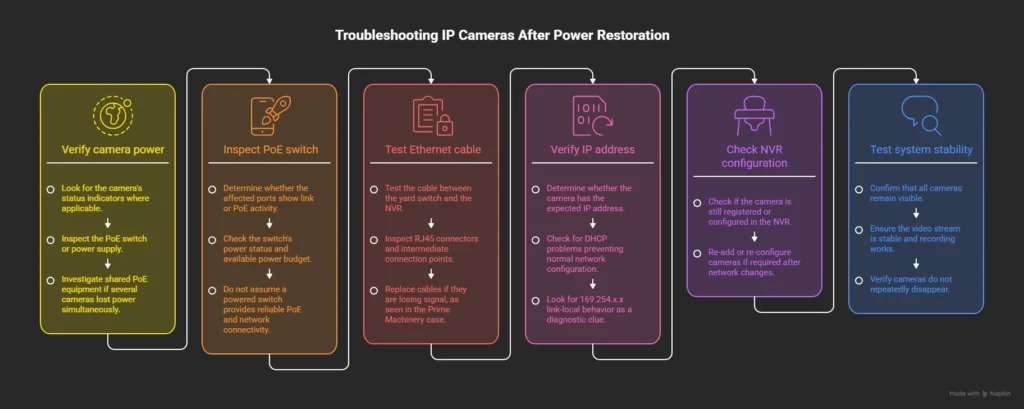
Check the system from the physical layer upward: power → PoE → Ethernet → IP address → NVR/network → camera configuration. This creates a repeatable diagnostic process instead of repeatedly restarting equipment without identifying the cause.
1. Check whether the camera is powered
Look for the camera’s status indicators where applicable and inspect the PoE switch or power supply.
If several cameras lost power simultaneously, investigate the shared PoE equipment first.
2. Check the PoE switch
Determine whether the affected ports show link or PoE activity.
Do not assume that a switch being powered on means every connected device is receiving reliable PoE and network connectivity.
3. Test the Ethernet cable
A cable can physically connect two devices while still causing poor or intermittent communication.
Test the cable between the yard switch and the NVR, including the RJ45 connectors and any intermediate connection points.
In the Prime Machinery case, this was the decisive step: the cable between the yard switch and office NVR was losing signal and had to be replaced.
4. Check the camera’s IP address
If the camera has power and a network link, determine whether it has the expected IP address.
A DHCP problem can prevent the camera from receiving its normal network configuration. Cisco’s documentation provides the 169.254.x.x link-local behavior as one diagnostic clue when DHCP fails.
5. Check the NVR
If the camera is reachable on the network but the NVR shows No Signal or the camera has disappeared, check whether the camera is still registered/configured in the NVR.
After network changes, some systems may require cameras to be added or configured again.
6. Test the system after the repair
Do not stop when the image appears once.
Confirm that all cameras remain visible, the video stream is stable, recording works, and the cameras do not repeatedly disappear.
How did MattyTech fix the IP camera problem at Prime Machinery?
At Prime Machinery Limited in Vingunguti, MattyTech first confirmed that all 13 yard IP cameras were connected to the yard switch. The team then tested the network cable between the yard switch and the office NVR and found that the cable was losing signal.
The cable and RJ45 connector were replaced, restoring the signal between the yard and office.
The cameras then needed to be added to the NVR again.
The team also found that the existing small white switch was transferring the camera traffic too slowly for the system’s needs. MattyTech replaced it with a Hikvision managed Gigabit 8-channel switch, after which the signal flowed more reliably and the cameras operated effectively without repeatedly disappearing.
The important lesson from this project is that “No Signal” did not automatically mean 13 cameras had failed.
The cameras were still connected. The troubleshooting process instead identified problems in the communication path and switching equipment.
IP camera maintenance and troubleshooting
Should I replace my IP cameras after a power problem?
No. Camera replacement should come after basic power, PoE, cable, network, and NVR checks indicate that the camera itself has failed.
A post-power-event failure can involve the infrastructure around the camera rather than the camera hardware. Cisco’s troubleshooting methodology similarly emphasizes verifying the symptom, identifying what changed, and isolating the affected port, cable, powered device, or switch before replacing components.
For example, replacing all 13 cameras at Prime Machinery would not have addressed the cable losing signal between the yard and office.
The cable, RJ45 connector, NVR configuration, and switch were the areas that required attention.
How can I prevent IP cameras from failing after power changes?
Protect the complete surveillance system, not just the cameras. This includes appropriate electrical protection, reliable PoE/network equipment, good-quality cabling, documented IP configurations, and suitable backup power where the property requires continued operation.
For larger surveillance systems, also consider the network infrastructure as part of the security system.
A camera can be excellent quality and still produce unreliable surveillance if the switch, cable, power supply, or network path is poorly designed.
When should I call an IP camera technician?
Call a qualified technician when multiple cameras fail together, equipment repeatedly stops working after electrical changes, a PoE switch is behaving abnormally, cables need replacement, cameras need to be re-added to the NVR, or the system requires network reconfiguration.
Electrical faults should also be treated carefully. Do not repeatedly reconnect equipment that shows signs of electrical damage or abnormal power behavior simply to see whether it comes back online.
A technician can isolate the failure systematically instead of replacing equipment based only on the “No Signal” message.
The main lesson: troubleshoot the connection before replacing the camera
When an IP camera stops working after a power change, the camera is only one part of the system.
Check:
Power → PoE → Ethernet cable → IP address → NVR → camera hardware.
The Prime Machinery Limited case demonstrates why this matters. Thirteen IP cameras showed No Signal, but testing found that the cable between the yard switch and the office NVR was losing signal, the RJ45 connection needed replacement, the cameras needed to be added back to the NVR, and the existing switch was replaced with a Hikvision managed Gigabit switch.
The result was a more stable connection and cameras that remained operational without repeatedly disappearing.
For property owners, the practical lesson is simple: when cameras disappear after an electrical change, diagnose the entire communication path before buying replacement cameras.
FAQ
Why do my IP cameras go offline after a power outage?
A power event can affect the PoE switch, network equipment, IP configuration, or communication between the cameras and NVR. Cisco notes that AC disturbances can cause unusual PoE behavior and may disrupt PoE even when some Ethernet functions remain normal.
Can a power surge permanently damage an IP camera?
Yes, a sufficiently severe electrical disturbance can damage electronic equipment, although an offline camera does not automatically mean permanent hardware damage. NIST identifies surges as short-duration overvoltage events and discusses their potential effect on electronic equipment.
Why is my IP camera powered on but showing offline?
The camera can have electrical power while its Ethernet connection, IP address, DHCP configuration, switch connection, or NVR communication has failed. Cisco’s IP-camera documentation shows that failure to obtain an IP address through DHCP can result in a 169.254.x.x link-local address.
How do I get my IP cameras working again after a power outage?
Check the power and PoE equipment first, then test the Ethernet cables and network connection before checking IP addresses and the NVR configuration. If the problem affects multiple cameras or keeps returning, have the complete surveillance network and electrical protection system professionally inspected.