If your CCTV cameras come back on after a power cut but yesterday’s recordings suddenly appear to be missing, the footage may not have been deleted at all. An abrupt shutdown can interrupt recording and database operations, leaving the recorder unable to properly locate existing video.
The important question is not simply “Did the power cut delete my CCTV footage?” It is “What happened to the recorder, storage drive, and recording index when the power was interrupted?”
Why do my CCTV recordings disappear after a power cut?
A power cut can stop recording, prevent the DVR/NVR from recovering correctly, affect the storage system, or make existing footage temporarily inaccessible. Manufacturer documentation confirms that unexpected shutdowns can cause database corruption in recording systems. Axis warns that unexpected shutdowns can cause database corruption.
A recording that appears to have disappeared therefore does not automatically mean that the video was physically erased.
There are several possibilities: the system was without power and could not record, the recorder failed to resume recording, the HDD became unavailable, or the recording database/index became inconsistent.
Does a power outage actually delete CCTV recordings?
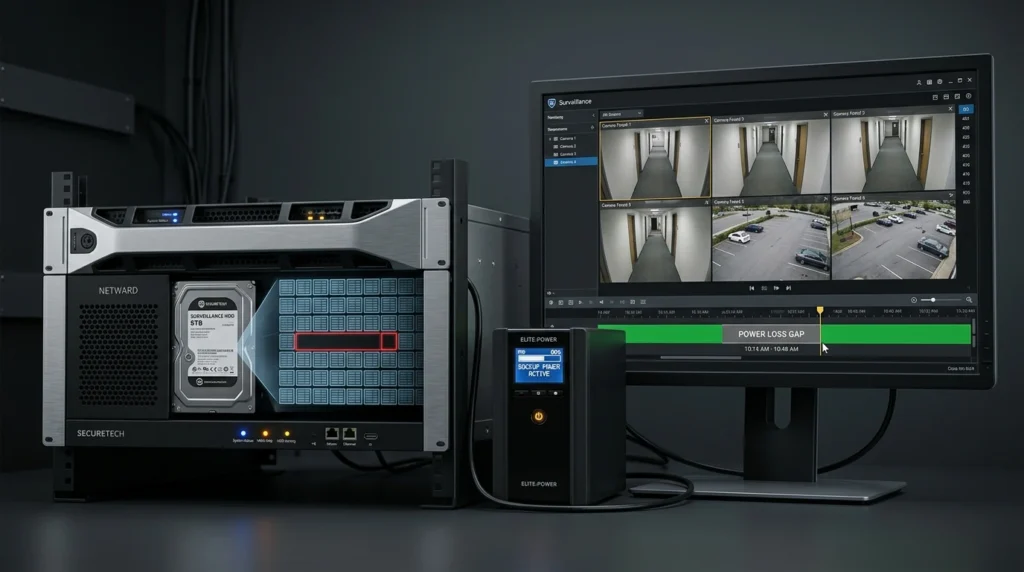
Not necessarily. Recordings that were successfully saved before the power interruption may still be present, while video that should have been recorded while the system had no power obviously cannot exist.
Consumer DVR guidance makes this distinction clearly: recordings already saved before a temporary loss of power remain available, while recordings that should have occurred during the outage are missed. The distinction between saved recordings and footage missed during a power outage is important when diagnosing a CCTV system.
This is why a homeowner should not immediately assume that a power cut has erased the entire CCTV history.
Why is my DVR or NVR not recording after the electricity comes back?
Your cameras can show live video even when the recorder is not successfully saving new footage. After power is restored, the recording schedule, storage status, recorder configuration, or database may need attention.
Axis recommends verifying recorded material rather than relying only on live view, because seeing cameras online does not prove that recordings are being stored correctly.
Check whether the recording indicator is active and whether the playback timeline is actually receiving new footage.
CCTV Camera Installation in Dar es Salaam
Can a power cut damage the CCTV hard drive?
A power cut does not automatically mean that the surveillance hard drive has failed, but an abrupt shutdown can contribute to storage, database, or hardware problems. Axis specifically notes that unexpected shutdowns can cause database corruption and hardware problems.
The correct approach is to check the recorder’s HDD status before replacing or formatting anything.
If the HDD is detected and healthy but recordings are not appearing in playback, the problem may be elsewhere in the recording system.
Why does my DVR say “HDD Not Exist” after a power outage?
If a DVR/NVR reports that its HDD does not exist after a power interruption, the situation is more serious than simply missing footage during the outage. The recorder may no longer be detecting, mounting, or communicating correctly with its storage device.
A real-world Hikvision NVR case on the IP CCTV Forum describes an HDD becoming unavailable after repeated power cuts, illustrating why the storage status should be checked rather than assuming that the recordings were simply deleted.
Do not format or initialize the drive before determining whether important footage may still be recoverable.
Can CCTV footage still be on the hard drive even if playback shows no recordings?
Yes. In some situations, recordings can remain on the storage device while the recorder’s database or index prevents normal playback from locating them.
Hikvision documents a specific class of DVR database problems in which recording data can become incorrectly indexed, causing the system to be unable to search for the correct recorded data. Hikvision’s database recording-issue documentation explains how incorrect indexing can make recorded data unsearchable.
That is an important distinction: “I cannot find the recording” does not always mean “the recording has been erased.”
Can a corrupt recording database make CCTV footage disappear?
Yes. A sudden shutdown can interrupt the recorder while it is writing recording information, and an inconsistent database or index can then prevent the system from locating video correctly.
The mechanism should be described carefully: it is not accurate to say that every power cut automatically “breaks the index file.” However, manufacturer documentation confirms that unexpected shutdowns can cause database corruption, and Hikvision documents cases where incorrectly indexed recording data becomes unsearchable. Axis documents database corruption after unexpected shutdowns, while Hikvision documents recording data becoming unsearchable because of incorrect indexing.
In practical terms, a sudden power loss can interrupt the recorder while it is writing video or updating recording information. If that process is interrupted, the recording index or filesystem can become inconsistent, potentially making existing video difficult for the recorder to locate or play back.
What does it mean when CCTV recordings disappear after a power cut?
| What you see | What may actually be happening | What to investigate first |
|---|---|---|
| No footage during the outage | The recorder had no power to record | Power supply/UPS |
| Cameras show live video but no new recordings | Recording may not have resumed | Recording status and schedule |
| HDD shows an error | Storage may not be detected correctly | HDD status |
| Old footage is visible but a period is missing | Recording may have stopped during that period | Recording timeline |
| “No record file found” | Database/index problem is possible | Recording database/index |
| Recorder date/time is wrong | Footage may be associated with an unexpected date | Date/time settings |
| Recordings become visible after database repair | Video may still have been stored | Database/index integrity |
The exact behavior varies by recorder model and recording architecture. Hikvision’s documentation demonstrates that database/index problems can make recordings unsearchable, while Axis documents unexpected shutdowns as a potential cause of database corruption. Hikvision’s database guidance and Axis’s shutdown guidance support this distinction.
Can the wrong DVR date make my CCTV footage look like it disappeared?
Yes. If the DVR loses its correct date and time after a power interruption, footage can be associated with an incorrect timestamp, making it difficult to find by the real-world date of the incident.
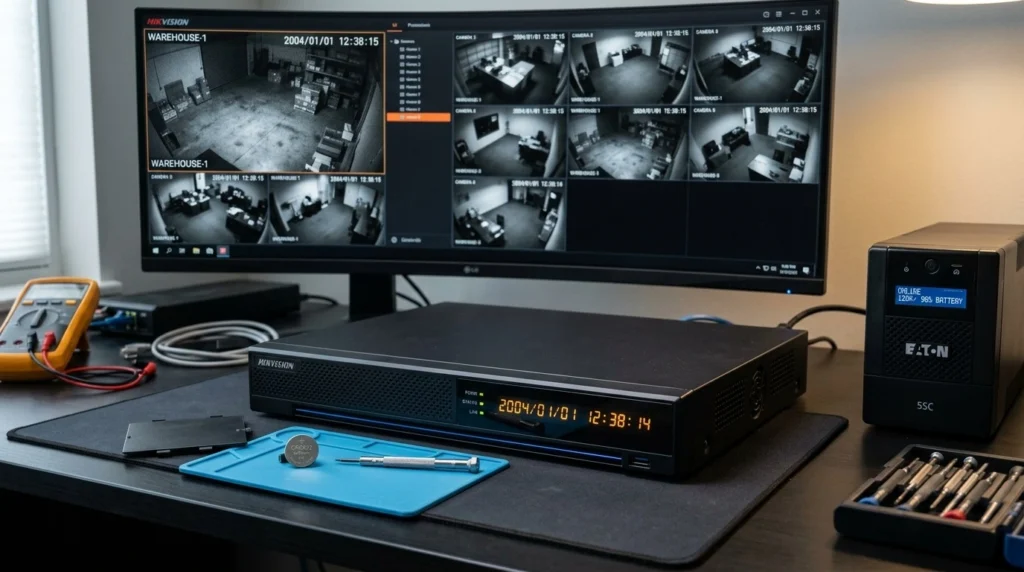
This is particularly relevant to our earlier Noble Center case, where a Hikvision DVR repeatedly returned to 2004 after power outages because its CMOS battery was no longer retaining the date and time.
The second DVR at the same location did not show the same behavior. Our diagnosis was CMOS battery failure/weakness, and the recommended solution was to replace the CMOS battery and connect the Hikvision DVR to a UPS.
Why Does My CCTV DVR Reset to 2004 After a Power Outage?
Should I format my CCTV hard drive when recordings disappear?
No. Formatting or initializing the HDD should not be the first response when important CCTV footage appears to be missing.
First check the recorder’s date and time, HDD recognition/status, recording schedule, recording indicator, playback timeline, and available system logs. If the problem is an indexing or database issue, repair may be possible without immediately destroying the existing storage structure.
Hikvision’s own documentation describes a Database Rebuild function for certain affected DVR models and explains that recordings can remain unsearchable because of database/indexing problems. Hikvision’s database-rebuild guidance is why a preservation-first approach is preferable when footage is important.
Will a UPS prevent CCTV recordings from disappearing during power cuts?
A UPS can keep the DVR/NVR and associated equipment powered during suitable power interruptions, reducing abrupt shutdowns and helping maintain recording continuity. Axis recommends UPS protection for critical installations specifically to reduce unexpected shutdowns and their potential consequences. Axis recommends a UPS to avoid unexpected system shutdowns.
Milestone similarly explains that abrupt shutdowns are a major cause of recording-database corruption and recommends a UPS to provide power for saving open files and safely shutting down the system when necessary. Milestone’s guidance on protecting recording databases with a UPS.
The UPS must be appropriately sized for the equipment and the required runtime. A UPS does not magically repair an existing database problem, but it can reduce the chance of an abrupt shutdown happening in the first place.
What should I check first when my CCTV recordings disappear?
Start with non-destructive checks before changing or formatting anything.
- Check the DVR/NVR date and time.
- Check whether the HDD is detected.
- Check the HDD health/status information.
- Confirm that recording is enabled.
- Check the recording schedule.
- Review the playback timeline around the suspected missing period.
- Check the system/event logs for errors or unexpected shutdowns.
- If supported, investigate database/index repair before formatting the HDD.
Hikvision’s troubleshooting documentation specifically recommends checking recording schedules and storage settings and provides a database-rebuild procedure for certain database-related recording problems. Hikvision’s troubleshooting and database-rebuild procedure.
For important evidence, avoid experimenting with formatting, initialization, or repeated repairs before understanding what happened to the storage.
What is the best way to protect CCTV recordings from power cuts?
The strongest approach is to protect both power continuity and storage integrity. Use an appropriately sized UPS for the DVR/NVR and related network equipment, maintain the recording system properly, monitor HDD health, and periodically verify that cameras are actually producing playable recordings.
Axis recommends UPS protection for critical recording systems, while Milestone explains that a properly selected UPS can provide the time needed to save open files and shut down safely during a prolonged power interruption. Axis’s UPS recommendation and Milestone’s UPS guidance support this approach.
For a homeowner, the key lesson is simple: do not wait until you need CCTV footage to discover that the recorder stopped recording during the last power outage.
Frequently Asked Questions
Does a power cut delete CCTV recordings?
A power cut does not automatically delete recordings that were successfully stored before the interruption. However, it can interrupt recording or contribute to storage and database problems that make footage unavailable through normal playback.
Why did my CCTV stop recording after the power came back?
The recorder may have failed to resume recording correctly, or its schedule, storage, configuration, or database may have been affected by the unexpected shutdown. Check recording status, HDD status, date/time, schedule and system logs before assuming the cameras themselves have failed.
Can missing CCTV footage be recovered?
Sometimes, yes, particularly when the footage remains on the storage device but the recorder’s database or index cannot locate it. Hikvision documents database-rebuild procedures for certain recording-data problems, but recovery is not guaranteed if footage was never recorded or has already been overwritten. Hikvision’s database-rebuild documentation.
Should I use a UPS for my CCTV DVR?
Yes, a properly sized UPS is a sensible protection measure for a CCTV recorder, especially where power interruptions are frequent. Manufacturer guidance from Axis and Milestone recommends UPS protection because it reduces abrupt shutdowns and can provide time for safe system shutdown. Axis UPS guidance and Milestone UPS guidance.